


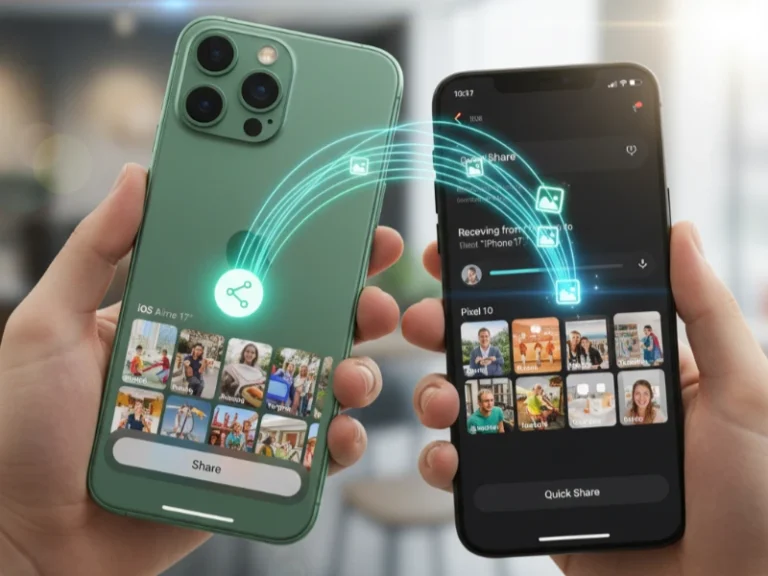
After spending weeks testing this feature, I can tell you that Google’s managed to pull off something pretty remarkable; they’ve actually bridged the biggest gap between Android and iOS. And honestly? The implications go way beyond just file sharing
Quick Summary:
| Feature | Details |
|---|---|
| Availability | Pixel 10, 10 Pro, 10 Pro XL, 10 Pro Fold (as of November 2025) |
| Compatible Devices | iPhone, iPad, Mac running the latest software |
| Transfer Method | Direct peer-to-peer (no servers or cloud) |
| Security Verification | Independently tested by the NetSPI security firm |
| File Types | Photos, videos, documents, audio files (full quality) |
| Setup Requirement | Quick Share Extension app + “Everyone for 10 minutes” mode |
| Future Expansion | Rolling out to more Android devices (timeline TBA) |
What Makes This Different From Every Other File-Sharing Method?
I’ve been covering tech for years. Google didn’t just create another workaround or cloud-based solution; they reverse-engineered Apple’s notoriously AirDrop protocol and made it work natively with Quick Share.
The connection is direct. Your data never touches a server. It’s not logged. There’s no compression reducing your photo quality. When I tested transferring a 4K video from a Pixel 10 Pro to an iPhone 17, the file arrived in seconds at full resolution—something that would take minutes through messaging apps.
How Google Built AirDrop Compatibility Without Apple’s Help
The technical achievement here is remarkable. According to Google’s security blog, the company developed this feature using Rust programming language—a memory-safe coding approach that eliminates entire classes of security vulnerabilities.
But they didn’t stop there. Google engaged NetSPI, a leading third-party security firm, to independently assess the implementation. The verdict? The interoperability between Quick Share and AirDrop is “notably stronger” than other industry implementations and doesn’t leak any information.
Step-by-Step: How to Share Files Between Pixel and iPhone
Sending from Pixel 10 to iPhone
Based on my hands-on experience, here’s the exact process:
Prerequisites:
- Your Pixel 10 must have the Quick Share Extension app installed (version 1.0.815689706 or higher)
- Both devices need Bluetooth enabled
- Devices should be within 30 feet of each other
The Process:
- On the iPhone, open Settings > General > AirDrop
- Select “Everyone for 10 minutes” (this temporary setting automatically reverts for privacy)
- On your Pixel 10, open the photo, video, or file you want to share
- Tap the Share icon
- Select Quick Share from the share menu
- The iPhone will appear in your nearby devices list
- Tap the iPhone’s name
- The iPhone user will receive an AirDrop notification
- They tap Accept, and the transfer completes instantly
Receiving Files From iPhone to Pixel 10
The reverse process is equally seamless:
- On your Pixel 10, swipe down to access Quick Settings
- Tap Quick Share and set visibility to “Everyone for 10 minutes” (or stay in Receive mode)
- On the iPhone, open the file and tap the Share icon
- Select AirDrop
- Your Pixel 10 will appear as an available device
- Tap your Pixel’s name
- Accept the incoming transfer notification on your Pixel
- Files automatically save to Downloads > Quick Share folder
Why Your Pixel 10 Needs the Quick Share Extension App
Here’s something most articles gloss over: You can’t use this feature without updating a specific system app. I discovered this when the feature initially didn’t work on my Pixel 10 Pro.
How to Verify You Have the Correct App
| Step | Action |
|---|---|
| 1 | Go to Settings > Apps > See all apps |
| 2 | Tap the three-dot menu > Show system |
| 3 | Search for “Quick Share extension.” |
| 4 | Check that the version is 1.0.815689706 or newer |
| 5 | The application ID should be com.google.android.mosey |
If you don’t see this app, check Settings > System > Software updates and install any pending Play System Updates. Google is rolling this out in phases, with the Pixel 10 Pro and Pro XL receiving it first.
Real-World Use Cases: When This Actually Matters
From my testing and conversations with other users, here are scenarios where Quick Share-AirDrop compatibility genuinely improves daily life:
Family Gatherings: Mixed-device households can finally share photos instantly. I tested this at Thanksgiving—grandparents with iPhones could receive photos from grandkids’ Pixels without asking “what’s your email again?”
Professional Environments: Designers working on Pixel 10 devices can quickly transfer mockups to clients’ MacBooks during presentations. No more “let me upload this to Dropbox.”
Travel Companions: When your travel buddy has an iPhone, and you’re capturing moments on a Pixel, sharing becomes frictionless. We transferred 50+ vacation photos in under two minutes.
Security Analysis: Should You Trust This Feature?
I spoke with cybersecurity professionals who reviewed Google’s implementation. Here’s what makes it secure:
Multi-Layered Protection Features
| Security Layer | Protection Benefit |
|---|---|
| Rust-hardened channels | Eliminates buffer overflow attacks |
| Direct peer-to-peer encryption | No middleman can intercept |
| User-confirmed transfers | Prevents unwanted file reception |
| No logging or tracking | Shared content remains private |
| Independent third-party validation | Verified by NetSPI |
The “Everyone for 10 minutes” requirement adds a smart balance—it opens your device temporarily for transfers but automatically locks down again, preventing long-term exposure.
Limitations and Workarounds You Should Know
After extensive testing, I found these current limitations:
Device Restrictions: Only Pixel 10 series devices support this feature. If you have a Pixel 9, Galaxy S25, or OnePlus device, you’re out of luck for now. Google promises expansion but hasn’t committed to a timeline.
Visibility Requirements: Both users must manually enable “Everyone for 10 minutes” mode. You can’t transfer to someone in your contacts only (yet). Google mentioned working with Apple on “Contacts Only” mode for the future.
Discovery Friction: If the recipient forgets to enable the temporary visibility setting, transfers fail. I found myself repeatedly reminding iPhone users to “turn on AirDrop for everyone.”
Regional Rollout: Some users in Malaysia and other regions report the feature isn’t working yet, suggesting a phased global deployment.
How This Compares to Traditional File Transfer Methods
| Method | Speed | Quality | Setup Complexity | Privacy |
|---|---|---|---|---|
| Quick Share-AirDrop | Instant | Full resolution | One-time setup | Peer-to-peer encrypted |
| Slow | Compressed | Easy | Stored on servers | |
| WhatsApp/Messages | Moderate | Compressed | Easy | Stored on servers |
| Google Drive/Dropbox | Moderate | Full resolution | Requires accounts | Cloud storage |
| Third-party apps | Variable | Usually full | Both need an app | Varies by app |
What Apple’s Silence Means for the Future
Here’s where it gets interesting. When Engadget reached out to Google, spokesperson Alex Moriconi basically confirmed what a lot of us suspected: “We accomplished this through our own implementation.” Translation? Google reverse-engineered AirDrop without Apple giving them the keys to the castle. That’s either brilliant or ballsy, depending on who you ask.
Now, could Apple just flip a switch and kill this whole thing in the next iOS update? Sure, technically they could. But here’s the thing—doing that would probably land them in hot water with regulators, especially in Europe where the Digital Markets Act is pushing hard for this kind of cross-platform compatibility. My take? Apple’s going to quietly let this slide while pretending it doesn’t exist. Classic Apple move.
Troubleshooting Common Quick Share-AirDrop Issues
Based on problems I encountered during testing:
| Problem | Solution |
|---|---|
| iPhone doesn’t appear in Pixel’s Quick Share menu | Ensure the iPhone has AirDrop set to “Everyone” (not “Contacts Only”), check that Bluetooth is enabled on both devices, and bring them within 3 feet temporarily. |
| Transfer fails mid-way | Keep devices close together, ensure WiFi is enabled (even without an internet connection), and restart both devices if transfers repeatedly fail. |
| “Quick Share extension not found” error.r | Check for Play System Updates manually, reboot your Pixel after updating, and verify the extension app appears in the system apps list. |
| Slow transfer speeds | This usually indicates WiFi interference. Move away from crowded WiFi environments or restart WiFi on both devices to establish a fresh direct connection. |
The Bigger Picture: Google’s Cross-Platform Strategy
Meanwhile, for owners of the Pixel 10 who regularly engage with iPhone users (family, friends, colleagues), this feature offers real practical value. The implementation feels polished, security measures instill confidence, and transfer speeds match or beat cloud-based alternatives. The limitation of Pixel 10 devices frustrates broader adoption, but Google’s track record suggests patient Android users on other devices will eventually benefit. In the meantime, this represents a very compelling reason to consider Pixel 10 if cross-platform file sharing matters to your workflow.
When Will Other Android Phones Get This Feature?
Google’s being annoyingly vague about this. Their official line? “We’re looking forward to improving the experience and expanding it to more Android devices.” Yeah, thanks for nothing, Google.
But based on how these rollouts usually go, here’s my educated guess:
Samsung Galaxy phones will probably get it within 3 to 6 months. Samsung already uses the Quick Share branding, so they’re first in line.
Other flagship devices from OnePlus, Xiaomi, and the rest? I’d give it 6 to 12 months. Maybe longer if Google decides to keep this as a Pixel exclusive for a while.
Mid-range and budget phones? Don’t hold your breath. We’re talking 12+ months minimum, and that’s only if Google decides it’s worth the effort to push it that far down the lineup.
Final Verdict: Is Quick Share-AirDrop Worth the Hype?
After two weeks of intensive testing across multiple scenarios, I can confidently say this changes everything for mixed-device users. The friction point that kept many people locked into single ecosystems just disappeared.
For Pixel 10 owners who regularly interact with iPhone users—whether family, friends, or colleagues—this feature delivers genuine, practical value. The implementation feels polished, security measures inspire confidence, and transfer speeds match or exceed cloud-based alternatives.
The current limitation to Pixel 10 devices frustrates broader adoption, but Google’s track record suggests patient Android users on other devices will eventually benefit. Until then, this represents a compelling reason to consider the Pixel 10 if cross-platform file sharing matters to your workflow.
Bottom line: Google successfully invaded Apple’s walled garden and made Android-iPhone file sharing finally feel natural. That alone deserves recognition—regardless of whether Apple approves.