


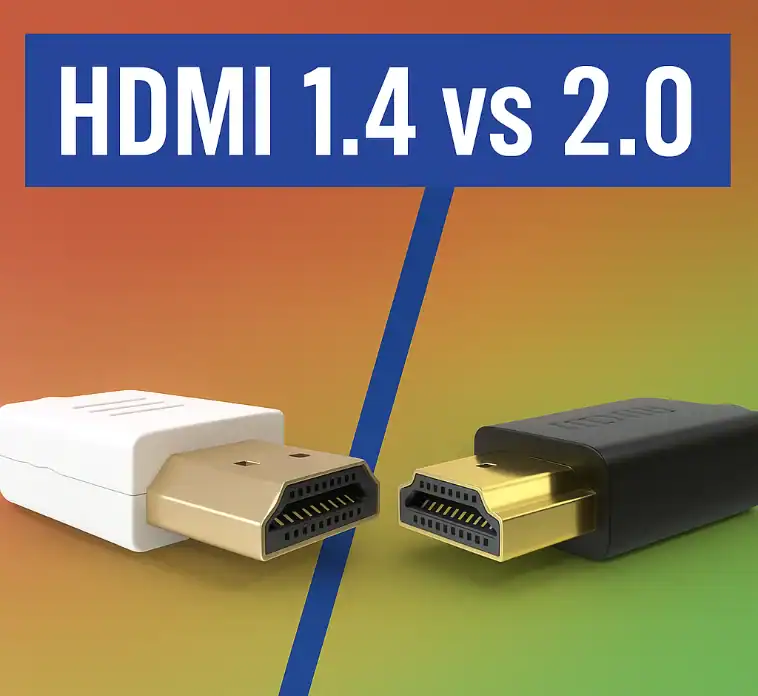
A widely used interface for transmitting audio and visual signals is HDMI. Nowadays, most electronic equipment has HDMI ports installed, for example, TVs and gaming consoles. Since the beginning of HDMI in 2002, it has changed a lot, and now the latest version is HDMI 2.1. The most often used HDMI versions in daily life are 1.4 and 2.0. In this article, we are going to delve into the two versions of HDMI in order to future-proof your display.
Do You Know HDMI?

HDMI stands for ‘High-Definition’ Multimedia Interface. Before the arrival of HDMI, DVI was the most widely used in audio and video transmission. Afterwards, HDMI was developed to transmit high-quality digital audio and video with its easy plug-in and plug-out design. HDMI is a two-way channel; hence, devices can talk to each other, and HDMI is also compatible with DVI. The original version was made in 2002, and later on, there were updated versions with names that described the modifications.
What is HDMI 1.4?

HDMI 1.4 is a version that was released on May 28, 2009. There are many improvements over the previous ones with HDMI 1.4. The most significant upgrade is that it can support 4K HD resolution, which is a groundbreaking step. Advantages and disadvantages of HDMI 1.4 are listed below.
Pros
- The first to enable up to 4K × 2K resolution (3840×2160p@24 Hz/25 Hz/30 Hz or 4096×2160p@24 Hz) in 4K HD.
- HDMI 1.4 supports 3D video display but requires additional equipment.
- Audio Return Channel (ARC) is a feature that allows audio data coming from televisions or other devices to be transferred to AV receivers via a certain type of cable.
Cons
- Due to a bandwidth of only 10.2 Gbit/s, it cannot carry an 8K signal.
- It can’t support HDR.
HDMI 2.0: What Should You Know?

Released in September 2013, HDMI 2.0 is an upgraded version of HDMI 1.4. It has better performance than HDMI 1.4. Higher bandwidth and improved audio are provided by HDMI 2.0 for many devices, particularly 4K HD screens. The only thing is that HDMI 2.0 has its good and bad sides as well:
Pros
- HDMI 2.0 is compatible with a 60Hz refresh rate for 4K displays in 4:4:4 pixel format
- 12-bit color offers users more high-quality video to watch.
- Up to 32 channels of lossless audio are allowed, which means sound performance is greatly enhanced.
- HDMI 2.0 can send dual streams to multiple users simultaneously, so you are not limited to only watching one HD program on the screen, but can opt to watch two simultaneously.
- HDMI 2.0 can carry HDR, thus higher color saturation of the picture will be provided.
- Bandwidth is up to 18 Gbps.
Cons
- Dynamic HDR is not enabled.
- VRR is not a feature.
- eARC is not included.
HDMI 1.4 vs 2.0: What’s the Difference
Frames Per Second (FPS)
4K screens can indeed be used with both HDMI 1.4 and 2.0. However, 4K video at a refresh rate of 24 is all that 1.4 can manage; high-quality 4K video at 50 and 60p is possible with 2.0. Therefore, HDMI 1.4 is appropriate for just watching videos, and HDMI 2.0 is your best option for gaming.
Bandwidth
Although HDMI 1.4 has a maximum bandwidth of 10.2Gbps, version 2.0 extends it to 18Gbps, which is compatible with 4K resolution of 3840*2160. Besides the increased resolution and frame rate, version 2.0 can also carry the audio signal of up to 32 channels and a 1536 kHz sampling rate.
Color Depth Support
4K video in 10-bit and 12-bit color depth can be transmitted thanks to HDMI 2.0’s additional bandwidth. However, HDMI 1.4 can only support 8-bit color depth due to its limited bandwidth. Perhaps you are still not very clear about what differentiates 8-bit, 10-bit, and 12-bit. Therefore, 2.0 has better color gradation than 1.4, and the image is more detailed and richer.
HDR Support
High dynamic range, or HDR for short, is all about the display’s colors and contrast. HDR technology can be a kind of haptic experience for users! HDMI 2.0 is able to support HDR due to its increase in refresh rate and color depth, but HDMI 1.4 cannot. In case you were planning to make use of HDR, the HDMI cable that you used should have been the one with at least 18Gbps bandwidth.
Key Differences
The differences that viewers will see while watching programming on compatible televisions and other devices will be bright and obvious, which will cause the picture quality and color definition to be most noticeable. The whole bunch of these improvements exist in HDMI 2.0-compatible devices. HDMI 2.0 has a higher rate of frames per second transfer, which results in a visual clarity that is way beyond what was possible with HDMI 1.4. This clarity is most of all visible in gaming and also in programming that implements Ultra HD 4K. The visual improvements of HDMI 2.0 will become more noticeable when more television shows are produced in this way. Viewers who are attracted by the clear pictures of Ultra HD will probably agree with the wide-angle 21:9 video aspect being acceptable, too.
HDMI 1.4 or 2.0 for Your Daily Use
Basically, the suitable use of an HDMI cable version for devices that can support the corresponding data rate, bandwidth, and refresh rate is necessary to get the best performance. In many ways, HDMI 2.0 is superior to HDMI 1.4; thus, which do you choose for everyday use?
For Gaming
For 4K gaming, HDMI 2.0 is the best choice. Without any doubt, HDMI 2.0 is a better option for gaming than HDMI 1.4 due to players’ need for Dynamic HDR, VRR, ALLM, and Free Sync. The game experience with HDMI 2.0 will be much better than that of HDMI 1.4. HDMI 2.0 can offer a high refresh rate, allowing you to see smooth and vivid gameplay graphics.
For TV
First of all, you definitely should check your TV specifications. HDMI 2.0 is only a better choice if your television is 8K capable and you need the highest quality of picture. If your TV is 8K and you are looking for the best viewing experience, HDMI 2.0 could be a better choice. In addition, HDMI also has improved HDR support, which translates into more vibrant colors and brighter parts of the image.
Basically, the choice between HDMI 1.4 and 2.0 is largely influenced by what you intend to do and the specs of your device.
FAQs
Can I connect an HDMI 1.4 cable to a 2.0 port?
Can I get 144Hz with an HDMI 2.0 port?
Is the quality of an HDMI cable important?
HDMI 1.4 vs 2.0 — what's the difference?
When I game, which one should I grab?
Is HDMI 1.4 Capable of Displaying Television Shows Fine on a Standard Basis?
Conclusion
Even though HDMI 2.0 is the better option for those who desire to get audio and video at its highest quality, many users will find HDMI 1.4 more than adequate.
It is important to point out that HDMI 2.1 has just hit the market. It’s a significant step forward compared to HDMI 2.0, bringing features like 8K support and VRR, among others. Still, the situation with HDMI 2.1 gadgets is that they are not widely available and the prices are still high, so the majority of users will not experience any problems with HDMI 2.0 for now.