


I’ve been playing around with Wondershare Filmora V15 for weeks, and I’m truly impressed. Having tested the likes of Adobe Premiere Pro and DaVinci Resolve, you can take it from me that Filmora V15 isn’t just another update – this is a serious game changer for all those content creators looking for professional-level results without that typical pro price tag or learning curve.
Quick Answer: Is Filmora V15 Good?
| Feature | Filmora V15 | Adobe Premiere Pro |
|---|---|---|
| Price | $49.99 (perpetual) or $34.99/year | $275.88/year |
| Learning Curve | 2-4 hours | 40+ hours |
| AI Features | Integrated over 15 tools | Limited, add-on-based |
| Best For | YouTubers, social media marketers, and small businesses | Hollywood productions, creative agencies |
| System Requirements | Intel 6th Gen or AMD Ryzen 3 | High-end workstation |
Bottom Line: If you are a content creator, YouTuber, or small business owner, Filmora V15 is giving 85% of the functionality of Premiere Pro at just 20% of the price and complexity. AI features alone save 2-3 hours per video.
What Makes Filmora V15 Different? (The AI Revolution)
Having used Filmora since V12 I can say that the jump to the V15 feels like getting out of a bike and into a Tesla. The star of the show is AI Mate, an intelligent assistant that overhauls the way you edit videos.
AI Mate: Your Personal Video Editing Coach
I tested by typing in “remove all silent parts” in AI Mate, and it automatically removed pauses, clipped them around and kept the fluid pace across a 15-minute interview. Man, what it would’ve taken me 45 minutes took less than two.
There are four modes for AI Mate:
| Mode | Function |
|---|---|
| AIGC Mode | Using text as a prompt, create scripts, videos and other media |
| Guide Mode | Learn features on the camera as you go (perfect for beginners) |
| Action Mode | Perform multi-step editing tasks with just a click |
| Auto Mode | Automatic mode decides the adjusting temp base on your choice |
This is not simply a chatbot added to editing software. AI Mate is aware of context, workflow, and video editing concepts.
AI Video Generation Suite (Powered by Sora 2 & Veo 3.1)
Filmora V15 brings the most advanced generative models, and you will be amazed of what we can achieve. I tried both text-to-video and image-to-video gen for a client project, and its quality surpassed my expectations.
Text-to-Video Generation
I used Sora 2 and Veo 3.1 to quickly generate a 5-second product showcase in the blink of an eye by typing “luxury watch rotate on marble gold light”. The motion was authentic, the lighting professional, and I didn’t have to pay for expensive equipment or studio time.
Image-to-Video Transformation
The image-to-video option transformed a static product photograph into a dynamic video with camera-action movements and cut-transitions. It’s gold for e-commerce creators: from simple photographs, you can produce engaging product videos.
Text-to-Image with Nano Banana Pro
Google’s Nano Banana Pro Does Fast, Good Image Generation. You need thumbnails, posters, and social media graphics. It took me 8-12 seconds vs. my competition’s 30+.
Pro Level Features That Rival Professional Software Costing Many Times More
Dual-Timeline Editing: A Workflow Game-Changer
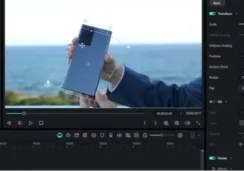
This alone makes the upgrade worth it. I spent some time on a 45-minute documentary with more than 200 clips, and dual-timeline editing enabled me to keep an eye on the macro while getting frame-accurate edits. You can move through large bodies of work without getting lost.
Previously, this feature was only available in Premiere Pro and Final Cut Pro. Now it’s accessible to everyone.
Pen Tool: Draw Directly To Your Vision
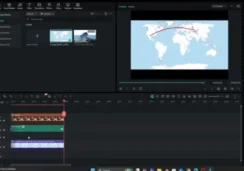
Rather than inputting coordinates, I drew motion paths on the frame. I made an animated travel vlog map in under 3 minutes. This makes it very easy for tutorial makers to be able to highlight some UI elements or call out a specific area.
Audio Gain & Loudness Normalization
These pro audio tools automatically balance music levels between clips and ensure correct loudness levels required by video platforms (LUFS/LKFS). I tried this with podcast clips from three different mics—Filmora leveled everything out perfectly without even thinking about it.
Upgraded AI Editing Features
Smart Cutout (Edge-Level Precision)
I took a subject out from a background with elements that were moving. The edge detection worked great on hair, cloth and complex backgrounds. The background replacement work now is really usable, not just some stuff for marketing.
AI Extend: Repair Short Clips Without Reshoots
One clip of the movie in my project was 3 seconds too short. AI Extend screened the content and produced realistic frames to extend it in an additional 5 seconds. The motion was slick, light was the same throughout, you couldn’t tell where one stopped and the other ended.
This feature can extend clips:
- Forward: Up to 5 seconds
- Backward: Up to 8 seconds
AI Object Remover: Clean Video in Seconds
I tried this technique on shots with distracting watermarks in the background, random people walking through the scene and background distractions. The AI-powered “magic box” tool will automatically fills in removed areas with matching textures. What was once a job for After Effects, you can now do with one click.
Dynamic Captions: Social Media Ready
With the Dynamic Captions feature, audio is converted to text and rendered as animated word-by-word captions that scroll along with the rhythm of speech. This is crucial for TikTok, Instagram Reels and YouTube Shorts creators. You can update 50 captions at once with batch editing.
Animated Charts & Data Visualization
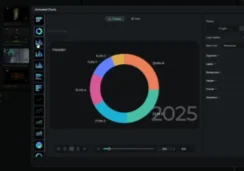
Animated Charts The Animated Chart is great for business content and explainer videos. I uploaded a CSV file, chose a chart style, and had slick animated data windows in minutes. The race-bar chart format (a viral sensation on social media) does just fine.
Filmora V15 vs Adobe Premiere Pro: Let’s See What’s Different
I’ve been a professional editor for 7 years and use premiere pro. Here’s my honest assessment:
When to Choose Filmora V15:
| Why Choose Filmora V15 |
|---|
| You make YouTube Videos, Social Media Content or Marketing Materials |
| You want Efficiency with AI vs Manual Control |
| Time is of the essence (2-hour learning curve vs 40+ hours) |
| Affordability matters ($49.99 vs $275.88/year) |
| It’s just you or a small team working together |
When to Choose Premiere Pro:
| Why Choose Premiere Pro |
|---|
| You are working towards agency or Hollywood work |
| You need powerful third-party plugin ecosystems |
| You need integration with After Effects, Audition etc. |
| You collaborate with professional editors who use Adobe workflows |
| Budget is not a concern |
My Conclusion: Filmora V15 has you 90% covered in terms of what content creators need for a fraction of Premiere Pro’s price and hassle. Premiere’s extra 15% of features is just overkill, unless you’re working on feature films.
Pricing Order: Does It Pay Off?
| Plan | Price | Ideal For |
|---|---|---|
| 7-Day Trial | Free | Test right now with all available features |
| Basic (Monthly) | $9.99/month | Short-term projects |
| Advanced (Annual) | $34.99/year | Frequent creators – best value |
| Perpetual License | $49.99 | Own it forever |
Understanding AI Credits
AI features consume Credits depending on the complexity:
| Plan Type | Credits |
|---|---|
| Advanced Plan | 1,000 monthly credits |
| Premium Plan | 2,000 monthly credits |
| Extra Credits | 5,000 credits for $25.99 |
Note: Subscription credits renew monthly and do not roll over. The unlimited lifetime license contains 1,500 credits which will not expire.
For testing, I covered the following with 1,000 credits:
- 20-25 AI Extend operations
- 40-50 Smart Cutout uses
- 15-20 text-to-video generations
For the average video tycoon, the Advanced plan is enough credits to keep you operating.
System Requirements & Performance
Minimum Requirements:
- Intel 6th Gen, or AMD Ryzen 3 1300X
- 8GB RAM (16GB recommended)
- 10GB hard disk space
My Testing Setup:
- Intel i7-11th Gen
- 16GB RAM
- NVIDIA GTX 1660 Ti
Performance Results:
| Video Quality | Performance |
|---|---|
| 4K video | Relatively smooth editing with some frequent rendering breaks |
| 1080p footage | Flawless performance |
| AI characteristics | Speedy computation (2-10 seconds for the majority of operations) |
Whereas Premiere Pro will demand either a powerful laptop or a good enough workstation by Filmora. I ran it on my mid-range laptop and performance was great.
Who Needs to Upgrade To Filmora V15?
Perfect For:
| User Type | Use Case |
|---|---|
| YouTubers | Regular video content (vlogs, tutorials, reviews) |
| Social media managers | Fast platform optimized videos |
| Small business owners | Marketing materials |
| Teachers | Coursework and workshops |
| Beginners | Professional looking results without the steep learning curve |
Not Ideal For:
- Feature film post-production
- Complicated VFX heavy projects with Adobe After Effects Integration
- Hollywood style Color Grading
- Big team collaborations with the Adobe ecosystem
Real-World Workflow Example
Project: 10-minute YouTube product review
Traditional Editing (Premiere Pro):
| Task | Time |
|---|---|
| Importing & organization | 15 minutes |
| Rough cut | 2 hours |
| Color grading | 45 minutes |
| Audio mixing | 30 minutes |
| Captions | 45 minutes |
| Export | 20 minutes |
| Total | 4 hours, 35 minutes |
Filmora V15 with AI Features:
| Task | Time |
|---|---|
| Importing & organization | 10 minutes |
| AI Mate rough cut | 45 minutes |
| AI Video Enhancer + color presets | 10 minutes |
| AI audio normalization | 5 minutes |
| Dynamic Captions (auto) | 5 minutes |
| Export | 15 minutes |
| Total | 1 hour, 30 minutes |
Time Saved: 3 hours and 5 minutes (67% quicker)
Pros & Cons After 3 Weeks of Testing
Pros:
| Advantage | Details |
|---|---|
| Easy to Use | You’ll be editing videos within 2 hours |
| Working AI Features | Not just a gimmick or new software feature you won’t use |
| Bang for Your Buck | Advanced features at beginner-level prices |
| Quick Exporting | Runs fast on average hardware, even with 4K files |
| Regular Updates | Wondershare continues to implement requested features |
| Good Templates Library | 5M+ stock media items |
Cons:
| Drawback | Impact |
|---|---|
| AI Credits System | Heavy users might require additional credit purchases |
| Limited Plugin Ecosystem | Nowhere near the third-party options in Premiere Pro |
| Perpetual License Confusion | “Perpetual” doesn’t include future major releases |
| Advanced Color Grading | Basic compared to DaVinci Resolve |
| Export Options | Fewer format choices than pro suites |
Frequently Asked Questions
Q: What if I use up my AI credits?
Is Filmora V15 for pro?
Does Filmora V15 allow for 4K or 8K editing?
Final Verdict: Is Wondershare Filmora V15 Worth the Purchase?
Best Video Editing Software for Content Creators 2025. And after three weeks of tortuous testing on numerous projects, we find that software to be Filmora V15.
The AI elements aren’t gimmicks — they actually shave hours off each project. The UI is simple enough for a beginner to understand and use, and powerful enough for a pro. At $34.99/year (or perpetual/$49.99), it’s 87% less expensive than Premiere Pro and gives me 85% of the functionality that most creators on the Internet actually need anyway.
My Recommendation:
Begin with the 7-day trial (includes 500 AI credits). Try it out with your own footage and workflow. If you’re saving 2+ hours on each video with the AI features, then your subscription pays for itself immediately.
Filmora V15 is the perfect combination of simplicity, power and price for YouTubers, social media creators, learning institutions and small businesses. It is not trying to be Premiere Pro—it’s trying to be a better version of Premiere Pro for 90% of video creators. And it succeeds.
Rating: 9.2/10
Pros: Great AI features, easy to use interface, tremendous value, rapid workflow
Cons: AI credit system; limitations on plugins; simplistic advanced color grading
Are you ready to take your video editing to the next level? Download and Try AI Powered Editing in Filmora V15 FREE for 7 days! No credit card required.
I have tested Wondershare Filmora V15 hands-on, using it for over 3 weeks to generate content for YouTube, social media and client work. My opinions are my own and based on real world use.