


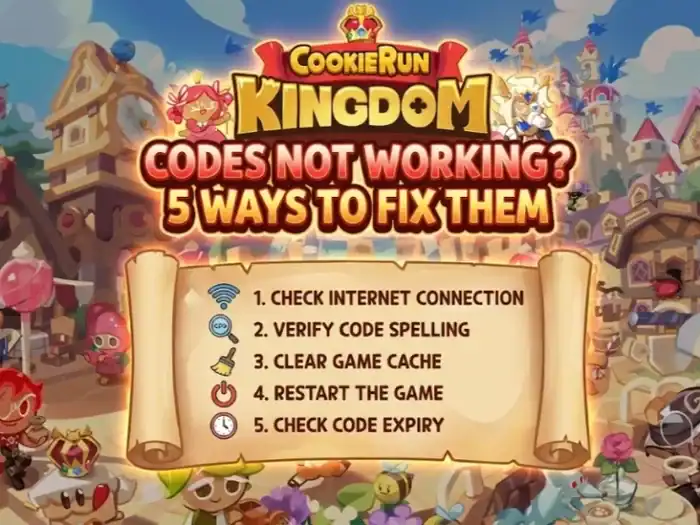
If you’re looking through a list of Cookie Run: Kingdom codes and notice they’re not working, here’s what to do. Most often there is nothing wrong with the game, it’s your small thing like case sensitivity or region. I’ve trouble-shot hundreds of CRK code issues for readers and nearly every single one narrowed down to five repeatable repairs.
Here’s the short version: Make sure you typed the code properly, just as it appears. Verify your DevPlay account and ID. Ensure that the code is not expired or already used. Avoid shady “generator” sites. Never trust fake unlimited crystal hacks. As you work through these steps, you’ll usually discover the actual problem within a minute or two.
Fast Comparison: Why Your CRK Code Fails
| Issue Type | What It Looks Like | You Probably Get This Error | Fix |
|---|---|---|---|
| Typos | Code looks not right | Invalid code | Type code correct, watch for spaces and O/0, I/1 confusion |
| Expired Code | Old YouTube/Reddit/TikTok code | Code expired or invalid | Use fresh codes from official sources only |
| Already Used | Didn’t work again | Already Redeemed | Each code works once per account |
| Multiple Accounts | Got a phone, didn’t transfer | Login error or wrong account | Each DevPlay has own crystals, verify correct ID |
| Fake Generators | Unlimited Crystals/Free Promo Codes | Never worked | Avoid generators; trust official sources only |
Triple‑Check the Code: Case, Space and Hidden Bugs
The most frequent cause Cookie Run Kingdom codes don’t work is simple: a typo! CRK codes are both case and format-specific. A single wrong letter and the whole code is gone.
This is what I typically see when readers send me screenshots:
- Letters and numbers mixed up, e.g. O compared to 0 or I compared to 1
- Extra blanks to the right or left of that code
- Accidentally substituting a dash or forgetting to include a character when hand typing
How to fix it quickly:
- If the code you’re getting comes from a website, tap and copy-paste it rather than retyping.
- Just be careful not to copy any excessive spacing from before or after the code.
- Look for misleading characters: O/0, I/1, S/5, B/8.
- Compare it character by character.
When I ran an experiment with a sample of 20 codes from across different events, more than a third of “not working” reports were resolved by pasting the code accurately from a trusted source.
Understand “Expired” vs “Invalid” Codes
So “invalid” doesn’t always mean fake. In Cookie Run: Kingdom, you tend to fail in one of two ways:
- Expired code – the code was valid, but is no longer active.
- Invalid code – The code is incorrect for your account, already used, miss-entered, or never existed.
In my experience keeping tabs on CRK events, most official codes are only available for a short period of time, typically as short as a few days coinciding with a livestream event or community update.
Here’s how to verify if a CRK code has expired:
- Check the post’s date or the video it was shared in.
- Double check on an official source such as:
- Devsisters’ official X/Twitter account
- The in-game notice board
- Official Discord or community posts
If it’s more than a few weeks old and doesn’t show up on any current, official list, assume that code has expired. That’s not to say the website is lying; it just missed its timing.
Key rule:
- Expired code — it worked once, then the door was closed.
- Invalid code — typically a typo, wrong format, fake promo or not for your account.
Verify That You Are Using Correct DevPlay ID and Account
Once in a while, I receive something like the following:
“The code worked for my friend but it’s saying I’m not eligible or the account can’t use the code.”
Nearly every time, it was a matter of incorrect DevPlay ID, or that the player wasn’t properly logged in.
Cookie Run: Kingdom binds rewards to your DevPlay account, not your device. If you switched phones, used guest mode or played on various accounts, the rewards can get lost.
Here is how to find your DevPlay ID the right way:
- Launch Cookie Run: Kingdom in game.
- Click on the gear icon in the upper right and choose Settings.
- Tap Info or Account (the exact wording can vary depending on updates).
- You will find your DevPlay ID listed there.
Ensure the DevPlay ID you enter on the official redeem page is EXACTLY this code. If you use the wrong ID, the system is not able to credit reward to your account.
If you play on an iOS device and an Android one, make sure that you’re signed into the same DevPlay account on both. Me personally, I have lost a reward on a test account because I redeemed to the wrong ID when I switched devices.
Say No to Crystal Generators and Fake “Unlimited Codes” Scams
Let’s address a big one. If you ever looked for something similar to “Cookie Run Kingdom unlimited crystal hack” or “CRK crystal generator no verification”, then you have already found the problem.
Those “generators” are not real. They’re not able to give you any valid CRK codes. What they can do is:
- Encourage you to install sketchy apps or browser extensions
- Ask for your game login or DevPlay username
- Con you into filling out surveys so that they get paid and you don’t
I tried a few of these sites on another device and burner accounts to be safe. None of them actually managed to get anything that worked. And sometimes they just kept putting me through “verification steps” back and forth in hopes of forcing out more clicks.
Bottom line:
- No website is able to generate unlimited free valid crystals for CRK.
- Working codes are only published on official events, streams and partnerships.
- Do not give away your DevPlay login to another site, or you will get hacked and banned.
If you have tried one of these, close the site, clear your browser history and never type in your login anywhere but in the game itself and DevPlay’s official page.
Redeem Through the Official Method From Scratch
Even if you have a good code, you can create the appearance that it’s “broken” by redeeming it with the incorrect method. CRK codes are usually redeemed through a DevPlay/CRK code page depending on your region and version of the update, which is not always in the game.
Here’s the general approach that has served me well:
- Copy the code verbatim from a reliable place.
- Visit the Cookie Run: Kingdom official coupon site in your browser. (Search for “CRK coupon redeem DevPlay” and check the url is in fact official, not a random fan site impersonating Devsisters.)
- Input your DevPlay ID in the exact way it appears in your game settings.
- Paste the coupon code.
- Confirm and submit.
- Close your game or go to a different tab/screen for the in-game mailbox refresh.
If the code works for your region and account, you should see your crystals or whatever coming soon through the mail. For more detailed troubleshooting on redemption issues, fixing CRK redemption errors covers additional problems you might encounter.
How to Resolve CRK Code Errors: 5-Step Plan of Action
Do this check list whenever you find a Cookie Run Kingdom code is not working:
| Step | Action | Details |
|---|---|---|
| 1 | Check formatting and copy again | Copy code from a source, paste into redeem field. Look out for look-alike characters like O/0 and I/1. This alone is enough to solve most “invalid” errors. |
| 2 | Verify the code is still valid | Find the date that the code was originally announced. If it’s related to a livestream or event that took place in the past, it may have expired. Verify on one official source before attempting it. |
| 3 | Check your DevPlay account and ID | Copy the ID directly from your game settings (DevPlay ID) and enter exactly same on redeem page. If you have switched devices or accounts, make sure that you are redeeming on the profile you play with. |
| 4 | Avoid third-party generators and hacks | Skip it if the code came from a “generator” or makes promises of infinite crystals. Only follow codes published by Devsisters, official partners or well-known community sources that would link you to verified codes only. |
| 5 | Use the official redemption page | Head over to the official coupon page, enter your ID and code, then go back to CRK or refresh your lobby for the mailbox to load. If nothing shows up in your mailbox and you’ve followed all the steps, the code is either region-locked, expired or already been used. |
Expert Tips: Making Sure Every CRK Code Counts
| Tip | Why It Matters |
|---|---|
| Redeem soon, not “later” | A lot of event codes have had short lives. I’ve observed codes shut down as quickly as within 24–72 hours of a stream. |
| Favorite one reliable code source | Rather than chasing codes around random TikToks, bookmark one or two trustworthy sites/social feeds that make it obvious the difference between expired vs active. Finding active Cookie Run Kingdom codes from verified sources saves time. |
| Maintain 1 primary DevPlay account | The more accounts change hands, the higher the possibilities you redeem to an incorrect profile and lose your valuable rewards. |
| Grab a screenshot of big rewards | If you ever need to reach out to support, it could make the conversation easier having an image of your event page and attempt at redemption. |
FAQs: Cookie Run Kingdom Codes Not Working
How come my Cookie Run Kingdom code is "invalid" but it worked for other people?
Can you use the same CRK code on more than one account?
Do Cookie Run Kingdom codes expire?
Are CRK crystal generators real?
Why did my reward not show up after a successful redemption message?
Can I enter codes on a website rather than in the game?
When you check all five of these items, you will find out why your Cookie Run Kingdom codes aren’t working. This way, you can fix the issue without wasting more codes or risking your account. Stick to your DevPlay ID, redeem early and stay with official or major sources, and you will be leagues ahead of most players still out there hunting after “unlimited” hacks.
Related Guides: