



The most important gaming accessories for 2026 really distill down to ten components that materially enhance performance, comfort and immersion. Both for online competition and in the depth of an offline campaign, these upgrades will actually matter a lot and you really want to know what comes first so you don’t waste money or time spent in more. Input devices, displays, and everything else in that order.
Here’s what most guides skip entirely: not every accessory delivers equal value for every gamer. A precision mouse matters far more for FPS players than for turn-based strategy fans. So before buying anything, match the upgrade to your playstyle.
Why Cheap Peripherals Cost You More Than You Think
Budget gear doesn’t just feel worse, it actively limits your performance. Common industry testing shows that input latency alone can vary by 10–20ms between entry-level and premium mice. At 144Hz and above, that gap is visible during gameplay, not theoretical.
This isn’t an argument for spending the maximum. It’s about identifying the actual bottleneck in your setup before throwing money at the wrong item.
Your Purchase Priority Framework
Before listing individual accessories, use this table to decide what to buy first based on your current setup gaps:
| Priority | Accessory | Primary Benefit | US Price Range |
|---|---|---|---|
| 1 | Gaming Mouse | Aim, control precision | $40-$160 |
| 2 | Gaming Headset | Situational awareness | $60-$200 |
| 3 | Mechanical Keyboard | Speed, consistency | $80-$220 |
| 4 | Gaming Monitor | Visual smoothness | $250-$700 |
| 5 | Ergonomic Chair | Long-session health | $200-$1,500 |
| 6 | Gaming Mousepad | Mouse tracking surface | $20-$60 |
| 7 | Gaming Router | Connection stability | $150-$400 |
| 8 | External SSD | Storage, load times | $60-$180 |
| 9 | Streaming Webcam | Audience engagement | $70-$200 |
| 10 | RGB Lighting | Ambient aesthetics | $30-$120 |
1. Gaming Mouse
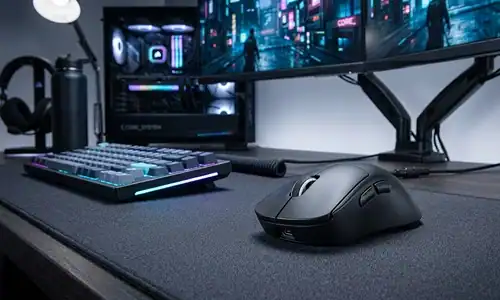
The best all-around upgrade you can make across genres is an expensive gaming mouse. Facts and figures that you need to pay attention to: optical sensor accuracy between 25,600 DPI (dominant modern sensors) or above, polling rate – 1,000Hz minimum (4,000Hz flagship models in 2026) and broader weight.
The typical failure point when buying: ignoring grip style entirely. Claw grip players need a different shell shape than palm grip players. No mouse, regardless of price, performs well if the ergonomics don’t match your hand. Most manufacturers publish grip-style compatibility charts on their product pages.
Top Gaming Mouse Picks for 2026
| Mouse | Best For | Connection | Key Feature |
|---|---|---|---|
| Logitech G Pro X Superlight 2 | Competitive FPS | Wireless | Ultra-lightweight build |
| Razer DeathAdder V3 Pro | All-rounder | Wireless | Ergonomic palm grip shape |
| Razer Basilisk X HyperSpeed | Budget pick | Wireless | Premium sensor, lower price |
If you want to go deeper on input devices, this guide on the best gaming keyboard mouse combos covers pairing strategies worth reading alongside your mouse decision.
2. Mechanical Gaming Keyboard
There is one reason and one reason alone that mechanical switches are the competitive standard: consistency. Nail a keypress; it always registers, always the same way, which is not something membrane keyboards can promise after any reasonably extensive use. The choice between linear switches (smooth, silent) and tactile switches (physical bump at actuation) is one of preference rather than performance. Both are valid.
This often ended in one of two ways: either the buyers get almost solely drawn into RGB aesthetics, or they find out that after a week they quote-unquote “hate” the feel of the switches. Whenever possible, test a switch tester before diving into a full board. They are available in nearly all Best Buy locations and gaming cafes across USA.
Top Mechanical Keyboard Picks for 2026
| Keyboard | Switch Type | Best For | Standout Feature |
|---|---|---|---|
| SteelSeries Apex Pro | Adjustable OmniPoint | MOBA, FPS | Per-key actuation tuning |
| Corsair K95 RGB Platinum XT | Cherry MX | Macro workflows | Dedicated macro keys |
3. Gaming Headset with Surround Sound
Audio is a competitive strategy, not only an immersion feature. Accurate positional audio (hearing footsteps from the right direction) directly affects your win rate in games of Valorant or Call of Duty.
Seek headsets with a true method for HRTF (head-related transfer function) processing, and not just the marketing copy of “surround sound.” These are meaningfully different technologies. HRTF has an ability to simulate realistic 3D directionality whereas basic stereo widening is often what generic surround sound gives.
Top Gaming Headset Picks for 2026
| Headset | Connection | Best For | Key Feature |
|---|---|---|---|
| SteelSeries Arctis Nova Pro Wireless | Wireless | Competitive + long sessions | Multi-system compatibility |
| HyperX Cloud Alpha | Wired | Budget competitive | Dual-chamber drivers |
For streamers who need professional voice quality, pairing a mid-tier headset with a dedicated USB condenser mic consistently outperforms even premium built-in boom mics.
4. Ergonomic Gaming Chair
Spinal health is legitimately at stake after years of extended gaming. An ergonomic chair with adjustable lumbar support, 4D armrests, and proper seat depth isn’t optional for serious players, it’s maintenance.
Top Ergonomic Chair Picks for 2026
| Chair | Price Range | Best For | Key Feature |
|---|---|---|---|
| Secretlab Titan Evo | $400-$550 | Most gamers | Cold-cure foam, adjustable lumbar |
| Herman Miller Aeron | $1,400+ | Daily multi-hour use | Clinical ergonomic certification |
For anyone on a budget: prioritize lumbar adjustability over brand recognition. A $250 chair with proper lumbar adjustment outperforms a $400 chair without it every session.
5. High-Refresh-Rate Gaming Monitor
Competition play refresh rate > resolution (as much as you hate to admit it) The leap from 60Hz to 144Hz is very dramatic and very noticeable. 144Hz to 240Hz, the margin has lessened, undoubtedly still noticeable during gameplay in a fast-paced shooting scenario. Beyond 240Hz, improvements are incremental.
1440p @ 165Hz or even 240Hz in 2026 will be the practical sweet spot for most US gaming setups. Autobuying a 4K monitor is a foolish move if you plan on engaging in high refresh 4K gaming, as the GPU required to fluidly perform at 4k will far greater than any cost of the display itself, ensure your PC can achieve playable framerates at that resolution before pulling the trigger on a 4k monitor.
Refresh Rate vs. Use Case
| Refresh Rate | Resolution Sweet Spot | Best Use Case |
|---|---|---|
| 60-75Hz | 4K | Single-player, RPG, open world |
| 144Hz | 1440p | Casual competitive, all-round gaming |
| 240Hz | 1440p | Serious FPS, battle royale |
| 360Hz+ | 1080p | Pro-level competitive only |
Response time matters alongside refresh rate. Look for 1ms GTG (gray-to-gray) panels to minimize motion blur during fast movement. The ASUS ROG Swift series and Alienware AW2521H are the current performance benchmarks.
6-10: The Supporting Accessories
A large gaming mousepad at least 900x400mm, is one of the cheapest upgrades with immediately noticeable results. It eliminates the inconsistent tracking that comes from gaming on bare desk surfaces.
An external SSD solves storage problems without opening your PC. The Samsung T7 Shield and WD Black P50 both deliver USB 3.2 Gen 2 speeds adequate for modern game libraries. Don’t buy a spinning HDD for this purpose in 2026, load time differences are significant.
For streaming, a quality webcam matters less than people think, lighting matters more. A $30 ring light makes a $100 webcam perform better than an expensive camera in a dark room. The Logitech StreamCam at 1080p/60fps is the reliable US mid-range pick.
Gaming routers with Wi-Fi 6E support are worth the investment specifically if you game wirelessly. If you can run an ethernet cable, do that first, it costs nothing and delivers better latency than any router upgrade.
RGB lighting is genuinely last for a reason. It changes nothing about performance, but a well-lit setup reduces eye strain during extended sessions by balancing ambient light against screen brightness. Corsair’s iCUE ecosystem offers the most comprehensive cross-device sync if aesthetics are a priority for you.

Pro Tips: What Most Buyers Get Wrong
| Mistake | What To Do Instead |
|---|---|
| Buying a 4K monitor your GPU can’t drive | Check your GPU’s realistic framerates at 4K first |
| Upgrading the mouse before the mousepad | A $25 XL cloth pad often fixes tracking before a new mouse is needed |
| Trusting lab audio specs over comfort | Read reviews from users with similar head sizes for real clamping force feedback |
| Buying a gaming router before fixing your ISP plan | If your internet speed is the bottleneck, no router will fix it |
FAQ
Which gaming accessories do I need to get started?
Are mechanical keyboards good for gaming?
Do gaming chairs actually improve posture?
What Monitor Refresh Rate Do I Need?
Do you need a gaming router to play online?
If you had to tell someone what the best gaming accessory under $50 is, what would your answer be?
What should I upgrade first?
Your Next Steps
Use the Priority Framework table above and identify your setup’s biggest gap right now. If your mouse is a three-year-old budget pick, start there. If you’re already on quality input devices but gaming on a 60Hz monitor, that’s your bottleneck.
For objective hardware measurements, particularly monitors and headsets. Rtings.com publishes detailed lab data that’s the US industry standard for peripheral reviews. For workstation ergonomics, Cornell University’s Human Factors and Ergonomics Research Group (ergo.human.cornell.edu) offers free evidence-based setup guidance worth reading before buying a chair.
If you’re also in the market for a portable setup, the best ASUS gaming laptops guide covers how to evaluate performance tiers without overpaying for specs you won’t use.
The best gaming accessories in 2026 are the ones that disappear from your awareness entirely, because they just work, every session, without friction.